cut_cone_space
Produces a cut cone volume (frustrum).
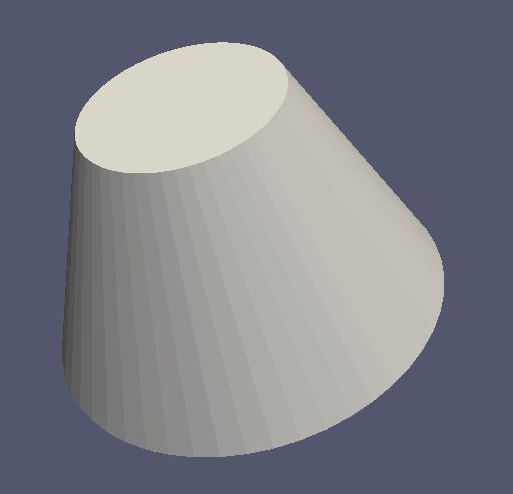
Works with MeshViewer: Yes.
Works with GeometryViewer: Yes.
An XML example is as follows:
<cut_cone_space name="cut_cone_space" z1="-0.3" r1="0.4" z2="0.2" r2="0.2" longitudinal_mesh_count="88" longitudinal_mesh_power="1." radial_mesh_count="28" radial_mesh_power="1.6" axial_mesh_count="50"/>
Works with MeshViewer: Yes.
Works with GeometryViewer: Yes.
Attribute |
Type |
Description |
|---|---|---|
|
|
axial mesh parameter (default is 16) |
|
|
longitudinal mesh parameter (default is 1) |
|
|
longitudinal meshing power (default is 1.) |
|
|
|
|
|
the first r coordinate in meters |
|
|
the second r coordinate in meters |
|
|
radial mesh parameter (default is 1) |
|
|
radial meshing power (default is 1.) |
|
|
the first z coordinate in meters |
|
|
the second z coordinate in meters |
Used as:
<cut_cone_space>in <geometry>
More information
Explained in: Basic Shapes in KGeoBag
Appears in the documentation:
Basic Shapes in KGeoBag (Cut Cone Space)
Used in example configurations: