rod_surface
The rod element can be used to create a rod like structure along a series of linear segments in three dimensional space.
The rod has a circular cross section which is approximated by a polygon (governed by the axial_mesh_count
parameter). This shape is defined by a radius (thickness of the rod) and a piecewise linear path specified by a by a
list of in-order vertexes.
Works with MeshViewer: Yes.
Works with GeometryViewer: No.
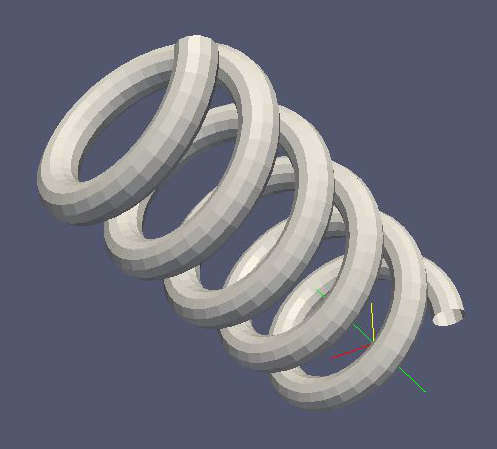
The following XML example creates a helix shaped rod surface, as follows:
Element |
Description |
|---|---|
Attribute |
Type |
Description |
|---|---|---|
|
|
Example:
<rod_surface name="example_rod_surface">
    <rod radius="0.2" longitudinal_mesh_count="100" axial_mesh_count="12">
        <define name="n_turns" value="5"/>
        <define name="n_segments_per_turn" value="36"/>
        <define name="coil_radius" value="1."/>
        <define name="height_per_turn" value="1."/>
        <loop variable="i" start="0" end="{[n_turns]*[n_segments_per_turn]}" step="1">
            <vertex x="{[coil_radius]*TMath::Cos(2.*TMath::Pi()*([i] mod [n_segments_per_turn])/[n_segments_per_turn])}" y="{[coil_radius]*TMath::Sin(2.*TMath::Pi()*([i] mod [n_segments_per_turn])/[n_segments_per_turn])}" z="{[i]*[height_per_turn]/[n_segments_per_turn]}"/>
        </loop>
    </rod>
</rod_surface>
Used as:
<rod_surface>in <geometry>
More information
Explained in: Complex Shapes in KGeoBag
Appears in the documentation:
Complex Shapes in KGeoBag (Rod Surface)
Used in example configurations: